- The information on the website is for reference only. Please verify with the relevant airline/agency/facility for accurate information.
What is Smart Pass?
This service allows you to pass through immigration checkpoints and boarding gates using facial recognition after pre-registering your passport, facial data, and boarding pass.
How to Register
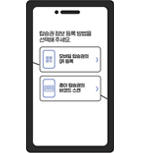
Incheon Airport SMARTPASS App
-
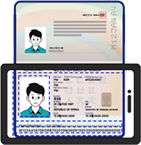
STEP 01Scan Passport
-
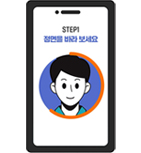
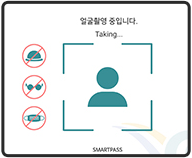
STEP 02Face Registration
-
STEP 03Boarding Pass Registration
- Facial information (ID) can be used for 5 years with a one-time registration.
- If you renew your passport, you must re-register your ID.
- A boarding pass must be registered for each departure. (Korean Air, Asiana Airlines, Jeju Air, Trinity Airways, Air Premia, Eastar Jet, Air Busan and Jin Air automatically register boarding passes during check-in.)
Incheon Airport Self-Check-In Kiosks
-
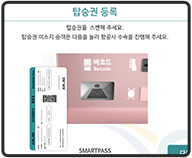
STEP 01Select “Register Facial Data”
-
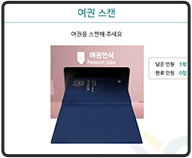
STEP 02Scan Passport
-
STEP 03Face Registration
-
STEP 04Boarding Pass Registration
Banking Apps
- You can also register your ID through banking apps integrated with Smart Pass.
- KB Star Banking: Go to Kookmin Wallet - SmartPass
- Toss: Go to Menu - International Travel
- Shinhan SOL Bank: Go to Menu - Utility&Convenience - SmartPass
- Woori WON Banking : WooriWON Wallet - SmartPass
- Hana One Q : MY Hana - One Q Wallet - SmartPass
- Naver Pay: Go to Menu - Convenience - SmartPass
- NH All One Bank : All Menu - Lifestyle Benefits - SmartPass
How to Use
- (Departure hall) Available to all Smart Pass registered passengers regardless of airline
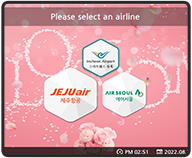
- (Self Bag Drop) Available to passengers boarding Jeju Air, Trinity Airways, Jin Air, and Air Seoul
- (Gate) Available at some gates for participating airlines
Participating Airlines
(T1) Jeju Air, Eastar Jet, Air Premia, Trinity Airways, Cathay Pacific, EVA AIRWAYS
(T2) Korean Airlines, Asiana Airlines, Jin Air, Air Seoul, Air Busan
(T1) Jeju Air, Eastar Jet, Air Premia, Trinity Airways, Cathay Pacific, EVA AIRWAYS
(T2) Korean Airlines, Asiana Airlines, Jin Air, Air Seoul, Air Busan
More airlines and boarding gates will be added over time.
-
STEP 01Mobile or Self Check-in Registration
-

STEP 02Self Bag Drop
-
STEP 03Departure Hall
-
STEP 04Boarding
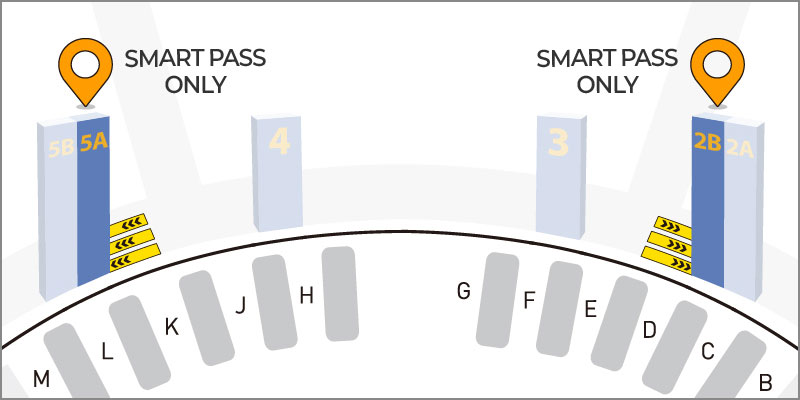
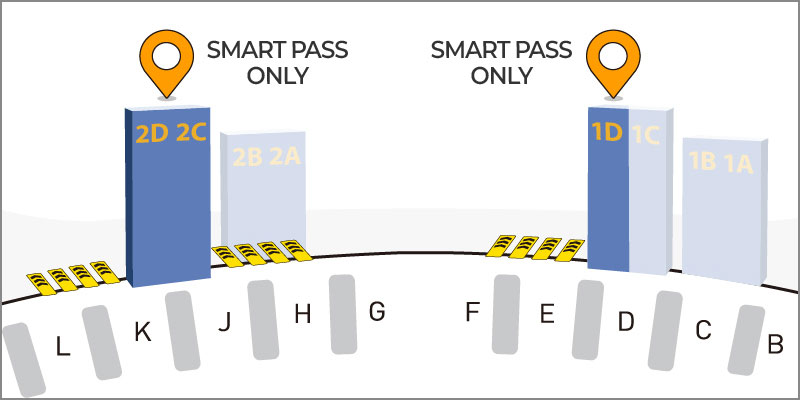
Location of Lane Dedicated to Departure Hall
- Follow the floor markings and signage in the departure area for guidance.
- Unregistered passengers cannot use dedicated lanes.
Other Precautions
- Do not place your passport and boarding pass in checked baggage; carry them with you.
- Available for users aged 7 and older (parental consent is required for those under 14).
- This is a separate service from the Ministry of Justice’s Smart Entry Service.
Inquiries
- Contact: Incheon International Airport Customer Service (1577-2600)
- Department: Smart Service Team